Creating portfolio transparency – how to create meaningful portfolio structures?

Communicating about development portfolios is often tricky – there may be a lot of ongoing development projects and activities, and if there are no portfolio structures, such as programs grouping projects, it is difficult to present high-level portfolio updates. The last blog post was focusing on designing portfolios in Enterprise level – let’s now focus on a single portfolio design and meaningful portfolio structures.

Here are a few tips which have been helpful for me and my colleagues!

Portfolio level – Large single portfolio, or multiple portfolios?
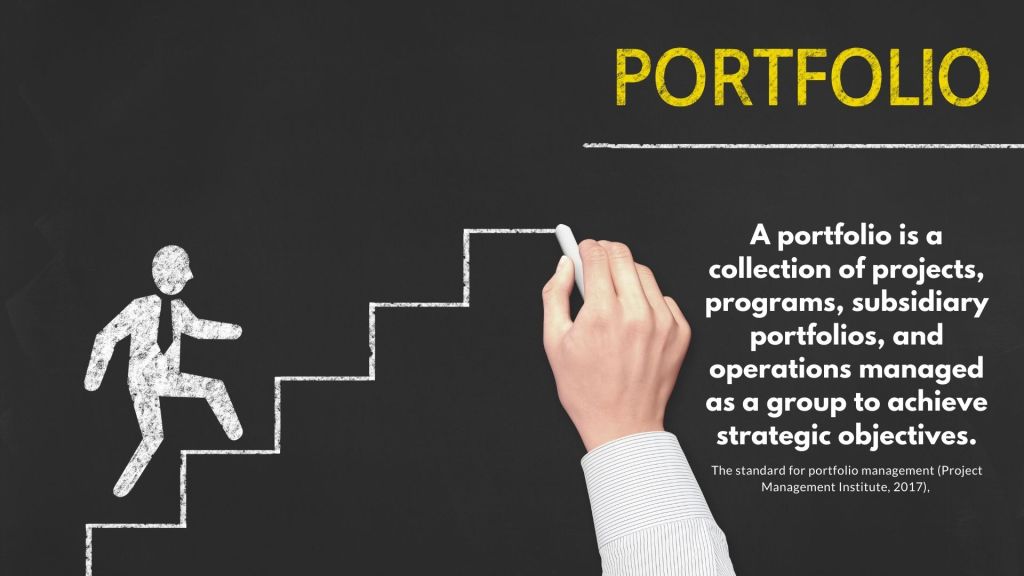
By definition A portfolio is a collection of projects, programs, subsidiary portfolios, and operations managed as a group to achieve strategic objectives (The standard for portfolio management – Project Management Institute, 2017). The definition is quite wide and each portfolio needs to define how to structure the development happening within the portfolio with a meaningful value adding way.

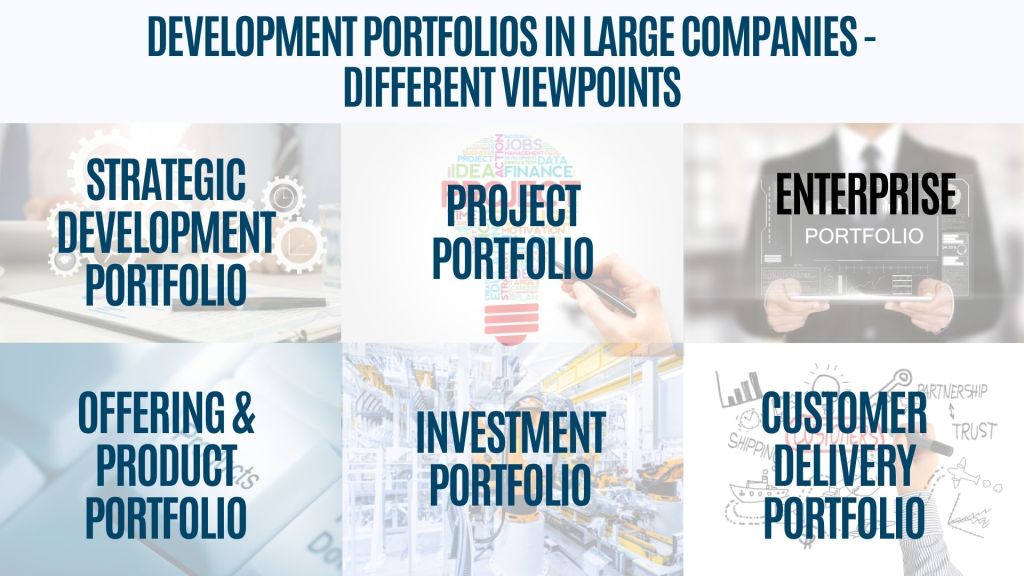
Sometimes portfolios may develop content across businesses, but also quite often there are own development portfolios for different businesses and functions. In addition to business-driven portfolios, often large development organizations, such as R&D and IT, also have their own portfolios. These portfolios may have own strategic targets, or work may be delivered to one of the business portfolios by the technology units. Also global functions, such as marketing or finance, often have their own development portfolios. First thing to consider is, do you manage a single portfolio, or would you have actually multiple portfolios with different objectives in the scope of discussions.

Sometimes there are clearly defined project portfolios, a group of individual projects, without any need for program structures – and this is completely fine, too. When dealing with larger portfolios, it makes sense to manage group development activities as sub-portfolios, programs, strategic initiatives, or via value streams. Let’s review different options:

Sub Portfolio – Grouping of development based on unit, department or theme

Let’s start with sub portfolios!

For large development portfolios, sub portfolio structures truly make sense – there is just too much different types of contents to be managed with flat hierarchy. On the other hand, for smaller portfolios, splitting content too much may create additional bureaucracy and silos within organization – so please be careful with the design!

Here are couple of tips for large portfolios with different types of development contents:

  • Sub portfolios for different units: Do you have have a big development portfolio developing content for different units? For example, if your portfolio is focusing on development within global functions, development content within marketing, finance and IT would deserve to have own sub portfolios to keep the content well grouped and managed.
  • Department level sub portfolios: For big business portfolios, does it make sense, to create a sub portfolios for development work different departments are focusing? Sub portfolios may help to create structure and show logically development projects focusing on development of each area. Sub portfolios may also serve well for allocation of funding and governance, if decision makers and key stakeholders vary a lot. Also, one very important aspect is the resourcing – each department needs to have a clear view of all development they need to resource.
  • Strategic theme based sub portfolios: Do you have big investment areas including multiple interlinked programs you need to present together? Sometimes sub portfolio may be also created based on the strategic development themes, to be able to easier follow up on

Development Programs – managing complex dependencies

Development programs are widely implemented across various industries as a common and well-known approach. The fundamental concept behind programs is to consolidate interconnected projects with shared objectives into a unified program, which can be managed as an entity. One particularly appealing aspect of development programs is the incremental delivery of benefits, as individual projects or activities within the program are completed over its duration.

Sometimes projects and other development activities within program have complex dependencies – and the completion of one activity may be a prerequisite for another. One of the benefits with program structure is the possibility to manage dependencies systematically – this is especially important, if development is happening across different organizational units.

Some programs may have more loosely interlinked projects based on a certain theme or topic – this could be for example projects linking to the same technology. Also the investment decision approach may vary – if each project within the program has an own business case, investment decisions can be made also incrementally over time – this helps to get things started, when in the early phase investment approval is only for the first scope items.

Strategic Initiatives – aiming at reaching strategic targets

Strategic development portfolios often encompass strategic initiatives, such as large transformation projects, strategic technology programs, must-win battles, or major product development initiatives. These initiatives are typically characterized by a strong focus on outcomes, aiming to develop new offerings, introduce new business models, or enhance organizational capabilities.

Sometimes strategic initiatives are governed as an entity, with a clear funding, steering and reporting practices, but often there is more loose practice, mainly focusing on strategy implementation progress – development is happening within each responsible organization. What ever the structure you may have, creating transparency on strategy implementation progress is usually a must have need!

Value streams

Today, value streams developing end-to-end chains delivering customer value have become popular, especially when enterprise agile practices are widely used in the organization.

Some portfolios are fully organized around value streams, and in a sense, value streams may be seen as mini-portfolios. There is typically a higher level decision-making on the portfolio level, but also teams working within value streams are empowered to make decisions about content prioritization. If you want to learn more about portfolio approach using value streams, Scaled Agile Framework Portfolio pages include great examples.

Smart portfolio views – other portfolio grouping attributes
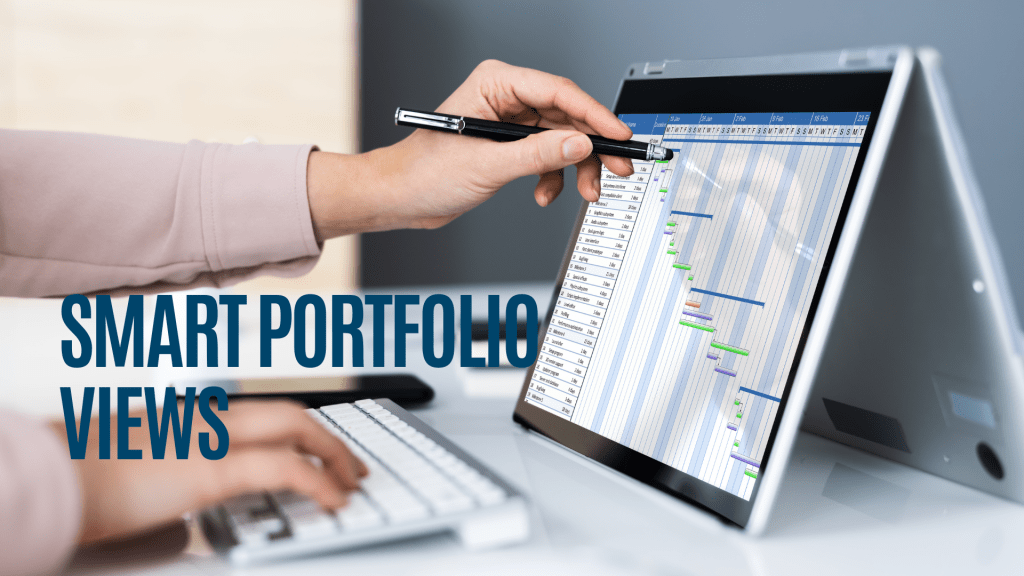
In addition to official portfolio structures, such as Sub portfolios or Programs, there are often also other needs to create views of development portfolio content. Optimally, your portfolio management tool may help with this, to avoid maintaining roadmaps for different purposes.

These are the commonly needed views I have come across to:

  • Department or unit work view across development portfolios – what are the projects and other work ongoing with your own unit? Which projects are you leading, where are you contributing and your team member contribution is needed? This view is especially important for common functions, such as IT departments or marketing, where there is always high demand for your experts time, and need may be coming from many different portfolios.
  • Strategy view – which development initiatives across all portfolios are contributing to a strategic theme or must win battle? There is often strategy progress reporting also consolidating status from different units, and great approach is to link strategy reporting to development portfolio reporting to avoid double reporting.
  • Product line, Platform or Solution area roadmap view – also a typical need is search for all development initiatives linked to a certain Product line, Platform or Solution area. With this view it is possible to manage development dependencies for a certain area.

Backlogs and my own tasks…
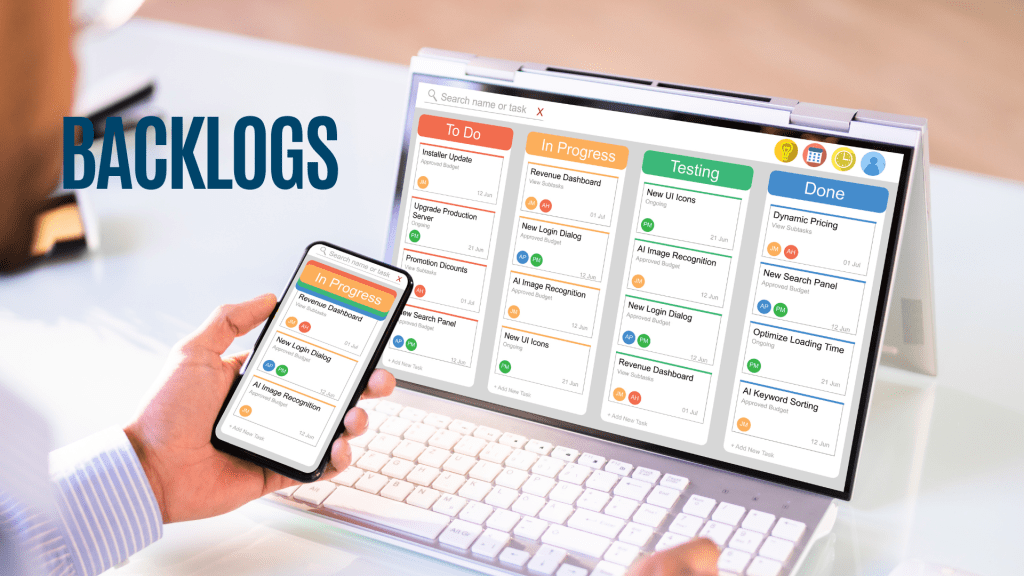
The need for managing the work does not end to portfolio level. Development teams have needs to manage their own roadmaps, backlogs or Kanbans – and the same applies to all of us – we need to manage our own tasks systematically. We all hate, if we need to create additional documentation manually to report our progress – and here is an opportunity to use integrated portfolio and backlog management tools.

If you have possibility to use the same set of tools within company – managing work from different projects or areas may become easier for the individual, when all tasks can be found from the same tool. The same applies also for the portfolio level – especially for agile development, creating transparency on progress of roadmap items is crucial. Many portfolio management tools today enable integration or have great inbuilt functionalities for managing backlogs.

If you are interested to learn more, check these out:

The standard for portfolio management – Project Management Institute, 2017

Development portfolios in large companies – what is your viewpoint?

Designing Development Portfolios in Enterprise Level – What is your approach?
Scaled Agile Framework Portfolio pages

Portfolio management – 5 to-do’s before tool implementation!

There are great tools to support strategic portfolio management in the markets with advanced portfolio management and visualization capabilities. Portfolio management tool helps to create transparency across organization – business and technology units, finance, and support functions. When development work is needed from many organization units, such as different business teams and functions, IT and R&D and external vendors, managing the big picture via clear roadmaps helps a lot. Furthermore, having a common tool for managing portfolio finances supports financial planning and helps to create visibility on costs and benefits. 

However, tool alone does not solve everything, and there are few things to look into before actually starting tool implementation. Here are couple of key learnings what to do from the buyer organization viewpoint, before kick starting actual tool development!

Have a look! If you have other tips to add, I would love to hear from you!

Portfolio management tool – 5 to-do’s before tool implementation

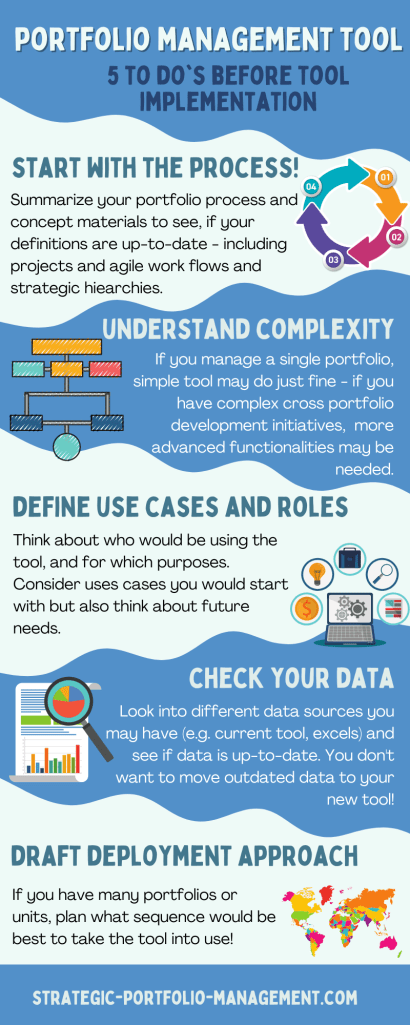
1. Start with the process!

Before initiating your tooling project, it is good to go through your key process steps. Here is a simple checklist:

  • Do you have a common process defined for your portfolio or across organization? Process can (and should) be simple, but it is needed to setup the tool for you.
  • What are the phases and gates for your projects – do you have one model or several?
  • Do you have agile work or continuous development – do they follow for example portfolio kanban process?
  • If you have an existing process, what is the feedback from the practitioners? Can you simplify your process? Are all project gates still actively used?
  • Do you have a defined portfolio structures (e.g. portfolios, sub portfolios, programs or other strategic structures)? If not, it is good to check the needs with different portfolios. This step may require some iterations, if tool has not previously been used.
  • What are your financial portfolio cycles, e.g. yearly, quarterly or monthly? How do you want to follow up financials?

Note! Even though it is important to work on process, one should not get stuck with process definition details – basic definition is enough, and details should be also checked while implementing the tool, as each tool has some unique features – sometimes also impacting process.

2. Understand complexity & portfolio structures – one portfolio or multiple portfolios with complex dependencies?

Complexity of portfolios varies a lot from company to another. Large corporations may need to manage many different types of portfolios or manage the same data from different viewpoints (see linked post Development portfolios in large companies – what is your viewpoint?).

Development portfolios in large companies – which portfolios are you focusing on?

Thus, it is good to align on scope and structures at the beginning of the work! Here are couple of questions to look into:

  • What is the scope of your portfolios to be implemented – do you include business and IT development, R&D, customer delivery portfolios, product portfolios, innovation portfolios etc.?
  • Do you implement tool for a single portfolio or across the whole company? Do you need to look into enterprise view, too?
  • If you manage a single project portfolio, a simple and cost-efficient tool works well. If you operate in a large corporation, where you have many portfolios and work is executed by many different units, more advanced features may be needed.

3. Define use cases & roles – what tool capabilities do you need?

Different tools have a huge variety of functionalities, and one gets easily overwhelmed by all the possibilities.

What tooling capabilities are you looking for?

As each of the tool capability requires also some deployment effort, good practice is to start with a prioritized set of capabilities – Minimum viable product. What are the key capabilities tool should support with?

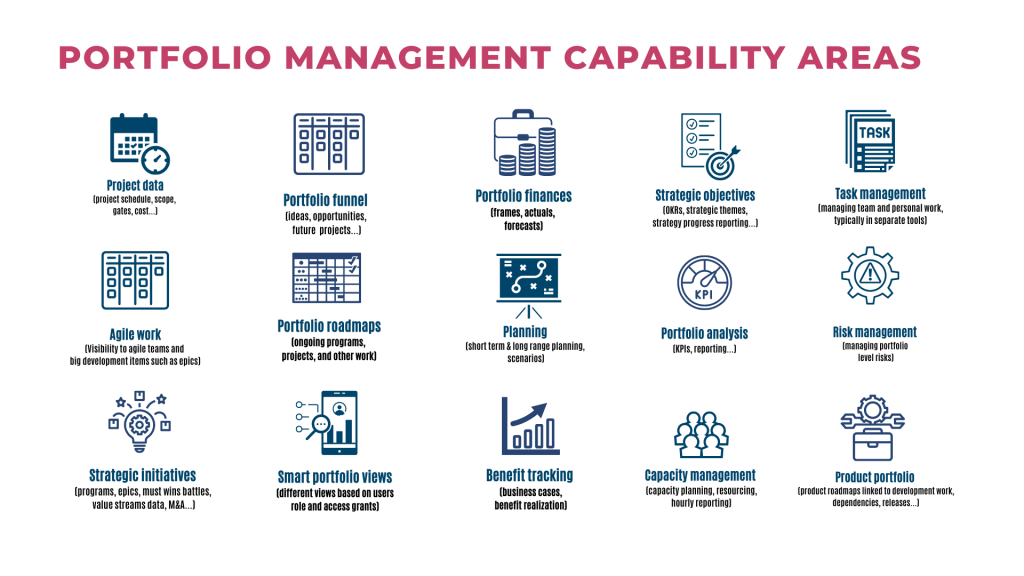
On the other hand, when implementing the new tool, it is good to look into future needs as well, so that tool also has capabilities to support more extensive use. Typically, these capabilities could be more extensive integrations, product or application portfolio management, scenario planning, and more sophisticated functionalities related to strategic objectives. To give you some inspiration, you can use the below picture to prioritize and sequence your tool planning:

Typical portfolio management capabilities to plan tool implementation – what are your focus areas and what are the future capabilities tool should support with?

Define user roles

Another important step during the planning phase is to define user roles – who would be actually using the tool – which roles would update the data and which roles would need transparency? Sometimes it may make sense to start with a small group of heavy users, e.g. introduce the tool for portfolio and project managers only, and then extend the use for a wider group of people. Here is the checklist:

  • Define user roles for the tool (e.g. portfolio managers, program managers, project managers, finance controllers, line managers; owners, sponsor and leadership roles; how about team members for hourly reporting?)
  • Think also about user groups, who would need transparency to portfolio roadmaps even though not actively editing the data (e.g. portfolio owners, business and technology leaders)
  • Do not forget key user and admin roles!
  • Good to do also a rough estimation of how many users would belong to different user groups – this may be helpful for the tool license discussions.

Define use cases

Based on the tooling capabilities and user roles, what are the use cases you would like to get started with? Few questions to think about:

  • Define use cases – what are the important use cases you need to get started with?
  • Identify also use cases, which might be useful for the future, but you do not need them right away (for example future needs to integrate the tool to other systems)
  • Remember to get inputs also for technical things, like access management, configuration and tool maintenance from your IT partners

4. Check your data!

Before tooling implementation, it is good time to check what data you have. The approach is a bit different, if you are replacing an existing tool to a new one, when compared to a situation, where portfolio data may be in different excels and may lack common field definitions. Here are couple to things to consider:

  • Where is your data? In an old tool or multiple tools, or in different places such as excel sheets? Or do you need to start by collecting the data into once place?
  • Do you have similar data available across portfolio or across portfolios or does each portfolio have different data sets?
  • Do you have relevant data gathered? This is a good time to see, if all current data fields are relevant and meaningful.
  • Is your data up to date? This is a good time to update data, before new tool setup!
  • Are you able to consolidate all available data to excel or other format for migration purposes?
  • Are roles clear – who is responsible for portfolio data in each organization or portfolio? Tool will not help, if no-one is updating portfolio data.

Check out also other blog text related to Portfolio data – 5 tips from practitioners!

5. Draft your deployment approach

In addition to technical tool implementation, organizational change management, training and alignment plays a key role when implementing common tools across enterprise. You may want to avoid big bang type of deployment, if possible.

  • Do you have pilot portfolios you would start with?
  • Can you sequence other portfolios based on the interest and urgency?
  • Which user groups and roles would need trainings?
  • Would you create modular training materials or videos, which would be available also for new team members in the future?
  • How about change management? If the way of working is changing, line managers may need strong support during the implementation phase.

Bonus tip – learn about tool concepts

There are plenty of great portfolio management tools full of interesting functionalities! Before you initiate your project, get familiar with the tool concepts, how they work and how they would support your needs. Tool data models may also bring really great possibilities for you to create transparency across organization or sometimes include some limitations. If possible, look for videos, demo to try the tool out or create a proof of concept!

Here are links to some of the portfolio management tools I have used or got familiar with:

Also for example JIRA has been used successfully to connect development work to portfolios.

If your favorite tool is missing for the list, I would be happy learn more and to add it here!

Check out also Gartner Strategic Portfolio Management reviews and rating!

Portfolio data – 5 tips from practitioners

Portfolio data is not something programs, projects and development teams always look forward to maintaining. And to be completely honest, I have been sometimes annoyed with the requests to fill in templates too, when not fully understanding what is it needed for and who actually uses the end results.

Portfolio data should not be only for reporting purposes, it should be used actively – to create transparency, communicate about progress, to have regular feedback loops on reaching objectives, balance demand and capacity, follow up on benefit realization and plan for the next steps.

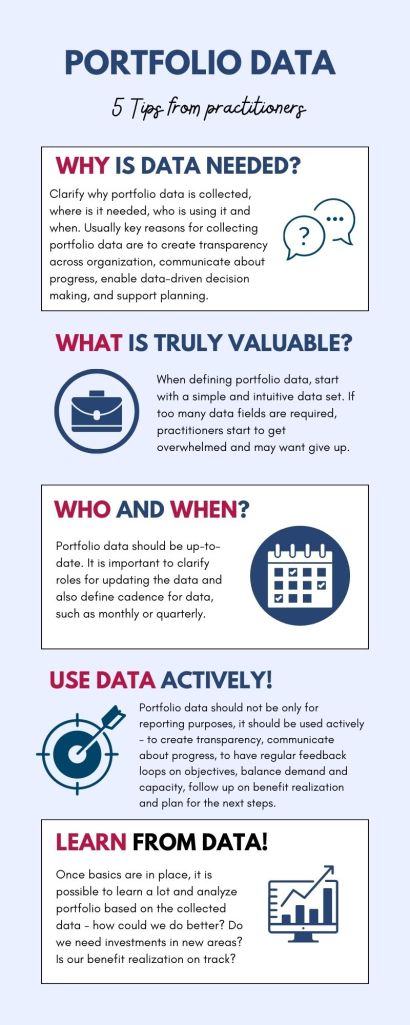
Portfolio data was also emphasized by experienced professionals I interviewed during the spring and my notes are full of great insights how to make this part more meaningful and easier for development teams, stakeholders and management. Here are 5 tips consolidated based on interview results – I hope these are useful for you!

Portfolio data – 5 tips from practitioners!

Let’s go through each area in more detail:

Why is portfolio data needed?

Clarify why portfolio data is collected, where is it needed, and by whom and when in your organization. Smart stakeholders working with development teams are more willing to maintain the data, when they understand why it is important!

Here are some key reasons relevant for many organizations:

  • Creating transparency across organization – portfolio views are needed in enterprise business, and unit levels as well as for different stakeholder view points
  • Communication – portfolio roadmaps, business cases and status updates are important tools to communicate about team plans to a wider group of people. If this data is hidden in slide decks, it may be difficult to manage dependencies across projects and portfolios.
  • Data driven decision making – enabling better decisions, when seeing the big picture, understanding business case, risks and dependencies. Decision making is often needed in project, portfolio levels, and solid data is helping out a lot!
  • Master data related to projects, continuous development and other work as well as strategic initiatives and programs is important – data, such as project name, should not vary across the systems.
  • Balancing demand and capacity – when all demand and work across organization is visible, it is easier to plan capacity and also make better prioritization decision.
  • Finances and planning – it is important to be able to forecast and follow up on actions and plan also future horizons (budgeting, long range planning). When portfolio data is up-to-date, budgeting and mid-term or long range planning is just updating plans, not collecting everything from the scratch.

What is truly valuable for your organization?

Often portfolio data sets may grow over time, as a new field is added every now and then – over the time portfolio templates may grow to be too complex – and no-one actually knows why a certain data field is needed today.

  • When defining portfolio data, start with a simple intuitive data set. If too many data fields are required, practitioners start to get overwhelmed, don’t know what fill in and may give up. Think, what is truly valuable, and what data is followed up and used actively.
  • If you have existing portfolio data, check out if different fields have been filled by practitioners, and if these data fields are actually used by someone. Be brave while leaning your data model! Simple is beautiful! No-one likes a project template filled with unnecessary details, which are nice to have.
  • Note! If you need to do special portfolio analysis, you can also collect data separately; no need to have a huge amount of data fields, which you might (or might not) need one day.

Who updates the data and when?

Portfolio data has only little value, if it is not systematically maintained. Roles and cadence for data updates is important.

  • Start with the definition: who maintains the data? Clarify the roles!
  • What is the cadence for maintaining portfolio data? Many organizations have monthly cadence, but some fast moving areas may need weekly cycles. Also quarterly cadence may make sense, if organization does not have all portfolio management roles filled and if quarterly cycles are natural for the organization.
  • Follow up – this is especially important at the beginning, when getting started with your portfolio data. Regular reminder and practical support sessions may be helpful, when getting started!

Use portfolio data actively – think about different use cases!

Data should not be only for reporting purposes, it should be used actively – to create transparency, communicate about progress, to have feedback loops on objectives, balance demand and capacity, follow up on benefit realization and plan for the next steps.

  • Learn what works best for your organization – hear out what needs different stakeholders have!
  • Think about different use cases and different roles using data – how to create transparency and different portfolio views?
  • Avoid extracting data to static reports as it gets outdated fast – use tools and reporting capabilities as much as possible.
  • Avoid having the same data in many different systems or tools, unless they are integrated, and one of the the systems is master. It is really difficult to maintain the data in many sources!

Learn from data – how could we improve?

Once basics are in place, it is possible to learn a lot and analyze portfolio based on the collected data.

  • How could we do better? Do we have challenges in portfolio execution or managing our idea funnel?
  • Are we achieving our objectives as planned?
  • Is our benefit realization on track? Are we achieving our objectives as planned?
  • Do we need investments in new areas? Is our portfolio balanced, or do we focus too much on keep the business running activities?

I would love to hear your pro tips how to make portfolio data easier to keep up-to-date and more helpful for different stakeholders!